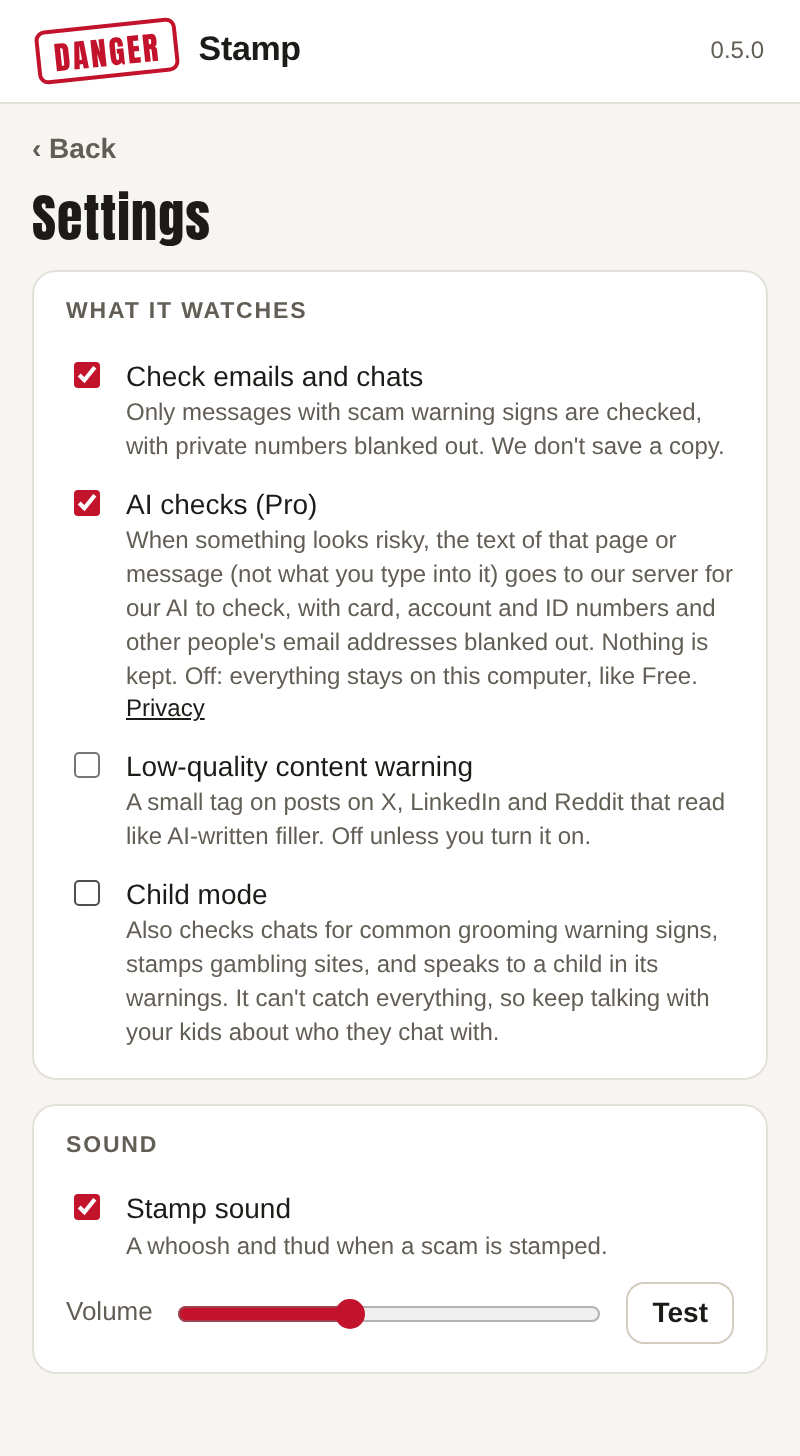
What it watches
Check emails and chats
On by default. Danger Stamp reads the email or chat you have open in webmail and messaging sites and checks it for scam warning signs. Only messages that show warning signs, such as a payment request, a code or a first message from a stranger, are checked at all, with private numbers blanked out, and we never save a copy. Switch it off and it only checks web pages, comments and ads.
AI checks (Pro)
Shown on Pro and Pro Family browsers. On: when something looks risky, the text of that page or message (never what you type into it) goes to our server for the AI to check, with card, account and ID numbers and other people's email addresses blanked out. Nothing is kept. Off: everything stays on this computer, like Free. Each browser on a family plan decides for itself. More in Getting started.
Low-quality content warning
Off by default. On: posts on X, LinkedIn and Reddit that read like AI-written filler get a small tag. Click the tag to see why, or wave it away. It's a guess from the wording, never a scam warning and never a stamp.
Child mode
For a child's browser. It also checks chats for common grooming warning signs, stamps gambling sites, and speaks to a child in its warnings: FALSE ALARM becomes ASK A GROWN-UP, with a short wait before anything can be unlocked, and the "ask someone you trust" message becomes "Show a grown-up". It can't catch everything, so keep talking with your kids about who they chat with.
Sound
A whoosh and a thud when a scam is stamped, so you notice it even if you're looking elsewhere. Set the volume or turn it off. Press Test to hear it.
Trusted sites and senders
Its own screen in the popup. Everything you have unlocked with "Always trust this site" or "Stop warning me" is listed here, kept on this computer only. Press Undo next to one to start warning about it again. See False alarms.
This browser's name
On a family plan, under Your plan: a name such as "Mum's laptop" so the person who pays can tell the browsers apart. It's shown to the payer next to this browser's monthly counts and the date of its last warning, nothing more.
What the popup counts
The popup's home screen shows this month's totals: pages, emails and chats checked, warnings shown, and checks sent to the AI. They are counts only. Danger Stamp never keeps which pages or what was in them.