The three plans
- Free. Every check that runs on your own computer, for free, for as long as you like. Nothing you read ever leaves it and the AI is never used. When a page needs the AI check, Free gives you a heads-up instead of a stamp.
- Pro. $4.99 a month or $39 a year, for one browser. Adds the AI check that tells a real scam from a false alarm and stamps the scams it finds.
- Pro Family. $12.99 a month or $99 a year, for up to 5 browsers. One person pays and invites the others. Each browser gets full Pro.
The AI checks have a monthly fair-use limit per browser that is far above normal use. Past it, the checks on your computer keep running until next month and the popup says so.
Going Pro
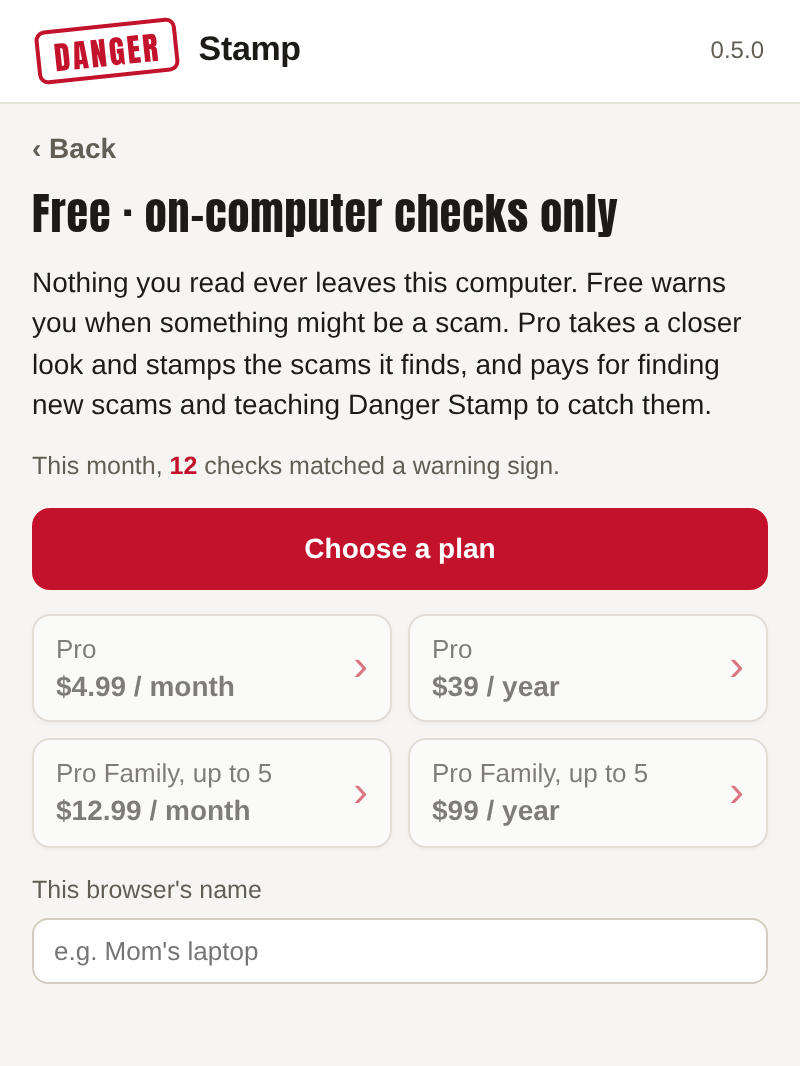
Press the Danger Stamp button in the toolbar and choose a plan. Payment is on Stripe's secure page; Danger Stamp never sees your card. No account to create: the plan is tied to this browser, and your email from the payment is used only to send receipts and to move the plan later. On the next page you open, you're on Pro. Remember to turn on AI checks.
Adding a family member
- Open Your plan in the popup and press Invite someone. It makes an invite link.
- Send the link to the person you're adding, by text, email or chat, or read it out to them. Each link works once and stops after 7 days, so send it only to the person it's for.
- They open it on their own computer, in the Chrome that has Danger Stamp added, and press Join. That's all they do. They never see a payment screen.
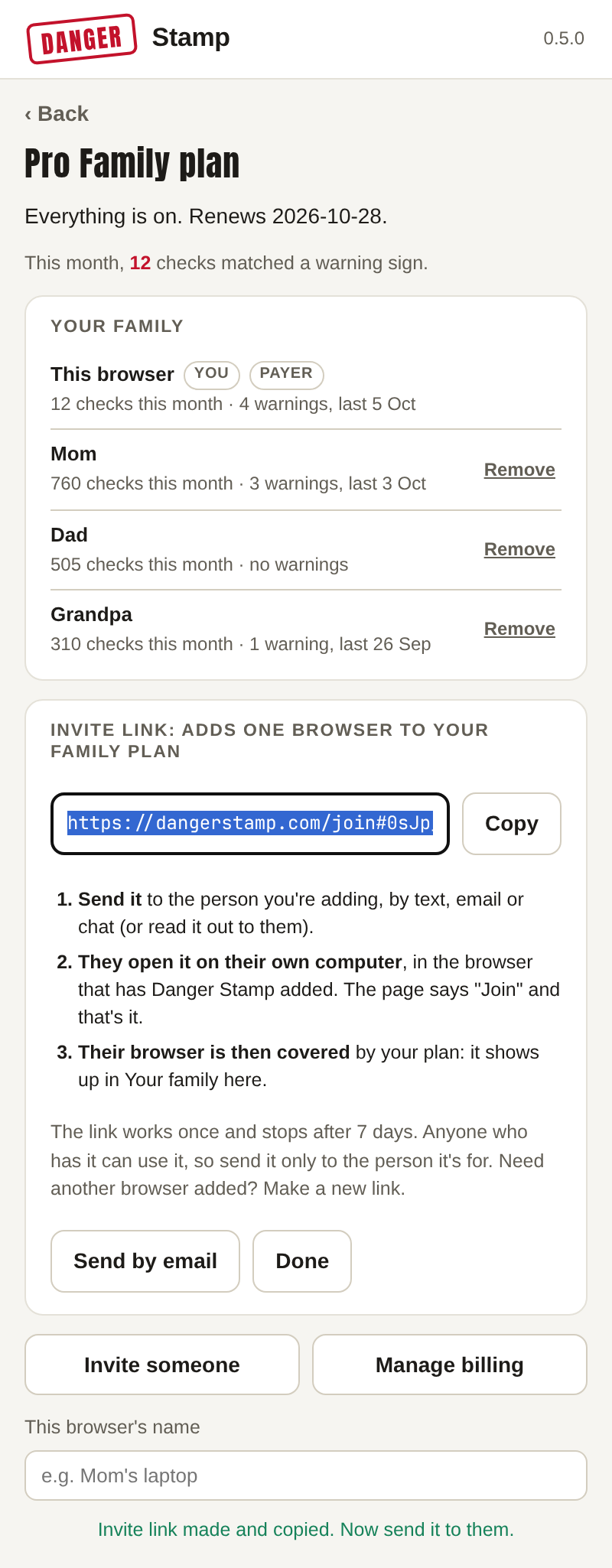
Their browser then shows under Your family in your popup, with its monthly counts and the date of its last warning (never what it was). Their popup says it is covered by your plan, and their "ask someone you trust" message is already addressed to you. Need another browser added? Make a new link.
Using your plan on a new computer
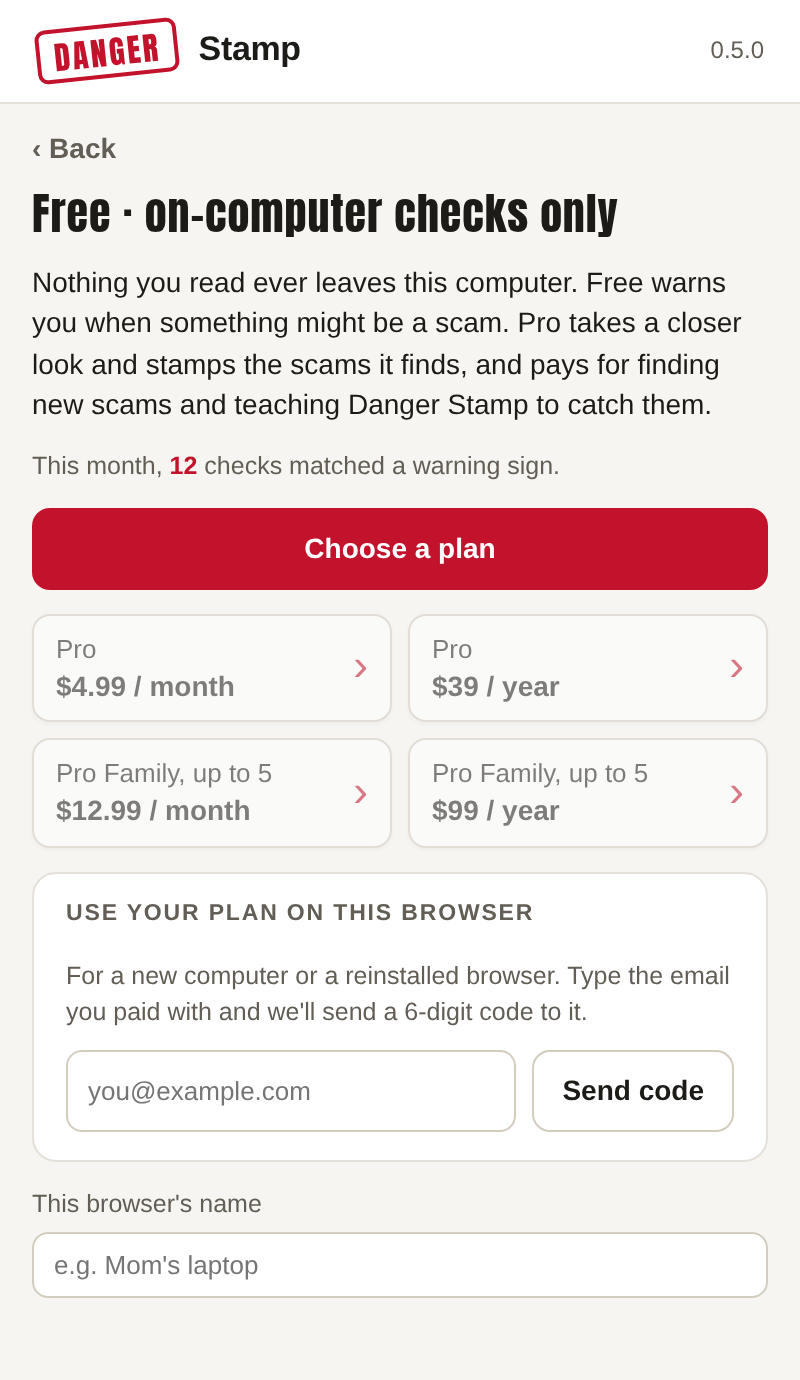
New computer, or reinstalled Chrome? Add Danger Stamp, press its button, then Already paying? Use your plan on this browser. Type the email you paid with and we send a 6-digit code to it. Enter the code and this browser has your plan. The code lasts 15 minutes.
On Pro, the old browser goes back to Free. On Pro Family, the old browser stays covered as a member while there's room.
Changing or cancelling
In the popup, under Your plan, press Manage billing. It opens Stripe's billing page, where you can switch between monthly and yearly, update your card, see receipts or cancel. Cancel and you keep Pro until the end of what you've paid for, then the browser goes back to Free, with all the free checks still running.
What we keep about your plan
Which plan this browser is on, the email you paid with, who is in your family, and monthly counts of checks and AI warnings. Never what was checked. The full list is in the privacy policy.