The stamp and the bar
When a page is a scam, a red stamp lands on it, usually right over the sign-in box, the payment form or the download button. The stamp word says what kind of scam it is: DANGER for a fake sign-in page, IMPOSTER for a page posing as a bank or company, FAKE SHOP, TRAP, and so on. Every kind is listed on the Dangers page.
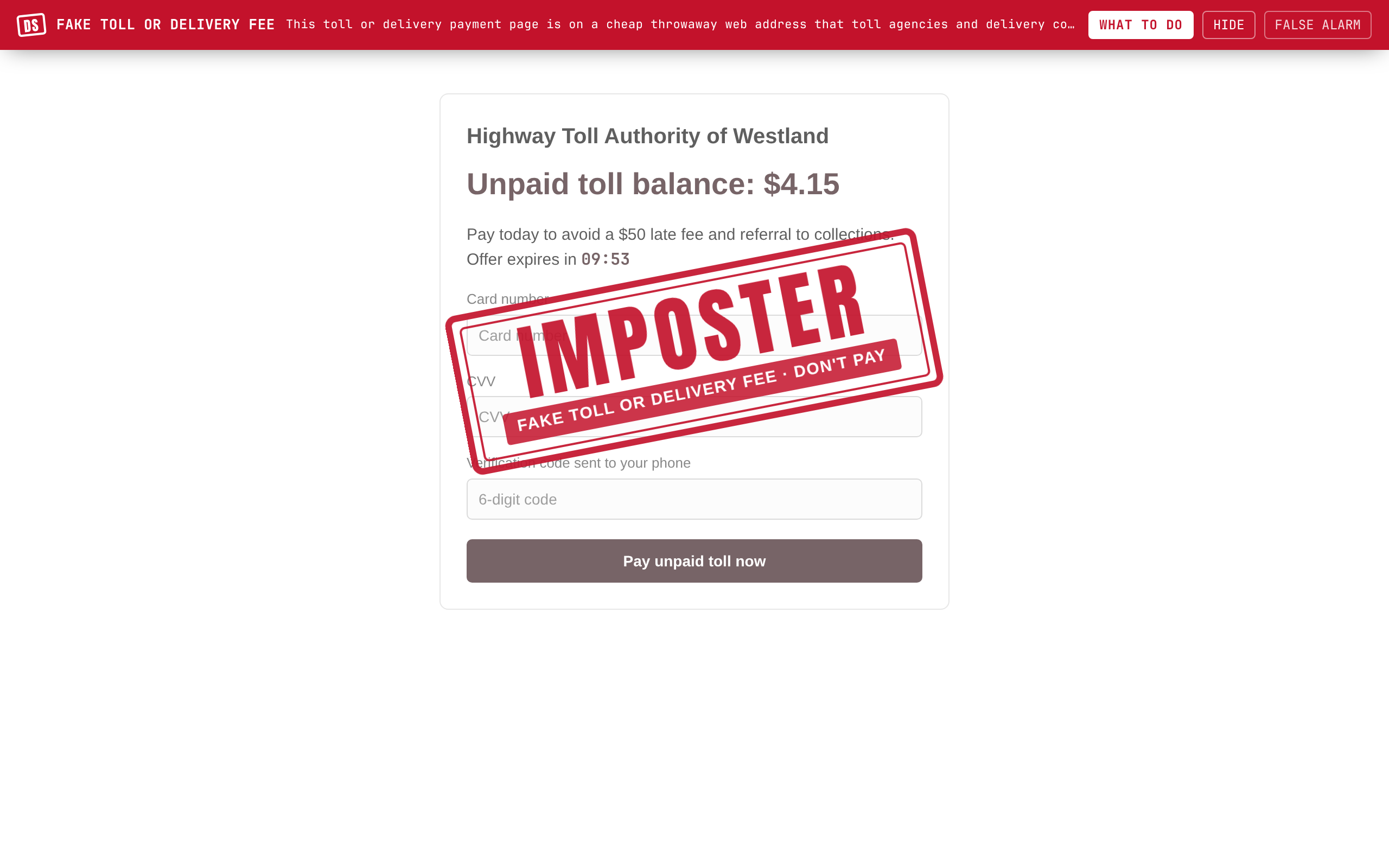
At the same time a red bar appears across the top of the page. It has the DS mark, the plain name of the scam, one short reason, and three buttons:
- WHAT TO DO opens the details: why it was stamped, what to do now, and the recovery steps.
- HIDE takes the bar away but leaves the stamp and the lock in place.
- FALSE ALARM is for when the page is fine. See False alarms.
The form is locked. On a stamped page you can't type a password or card number into the form by mistake. If you really want to use the page, FALSE ALARM unlocks it.
Risky downloads are paused. If a page starts a download of an installer, a script or a remote-access tool, Danger Stamp holds it for a few seconds while it checks the page it came from. If that page is stamped, the download is cancelled. Otherwise it carries on by itself.
Softer warnings
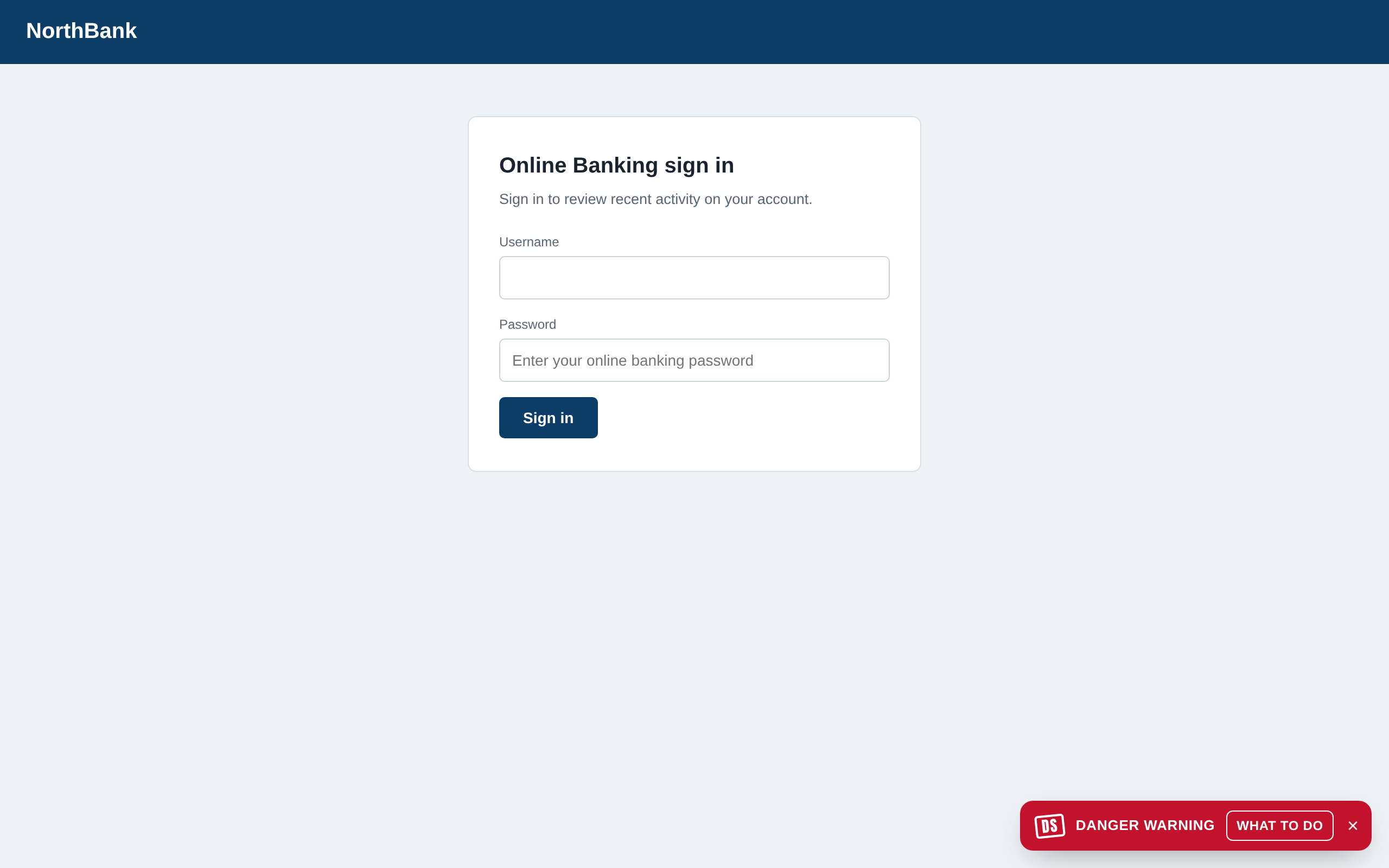
- A Danger warning (a small red notice rather than a stamp) means Free found warning signs but couldn't be sure. The notice says what it could be. Treat it as "slow down and look twice". Pro would run the AI check and stamp it if it is a scam.
- A warning bar without a stamp is for things worth knowing but not blocking, such as a page that asks for something it shouldn't.
- A small stamp on one comment, post or ad marks that item only, in YouTube comments, Facebook and Instagram feeds and the like. Click it for the details.
- A tag such as "Sponsored" or the low-quality content warning is information, not a scam warning.
The details panel also says how old a website is when that matters: "This site was registered 9 days ago" next to a page posing as a bank tells you most of what you need.
What to do
Press WHAT TO DO and the panel opens. The top says why it was stamped, in plain words. Below that is one line of advice for this kind of scam, for example "Close this page. If you need your bank, type its address yourself or use its app." Then two buttons:
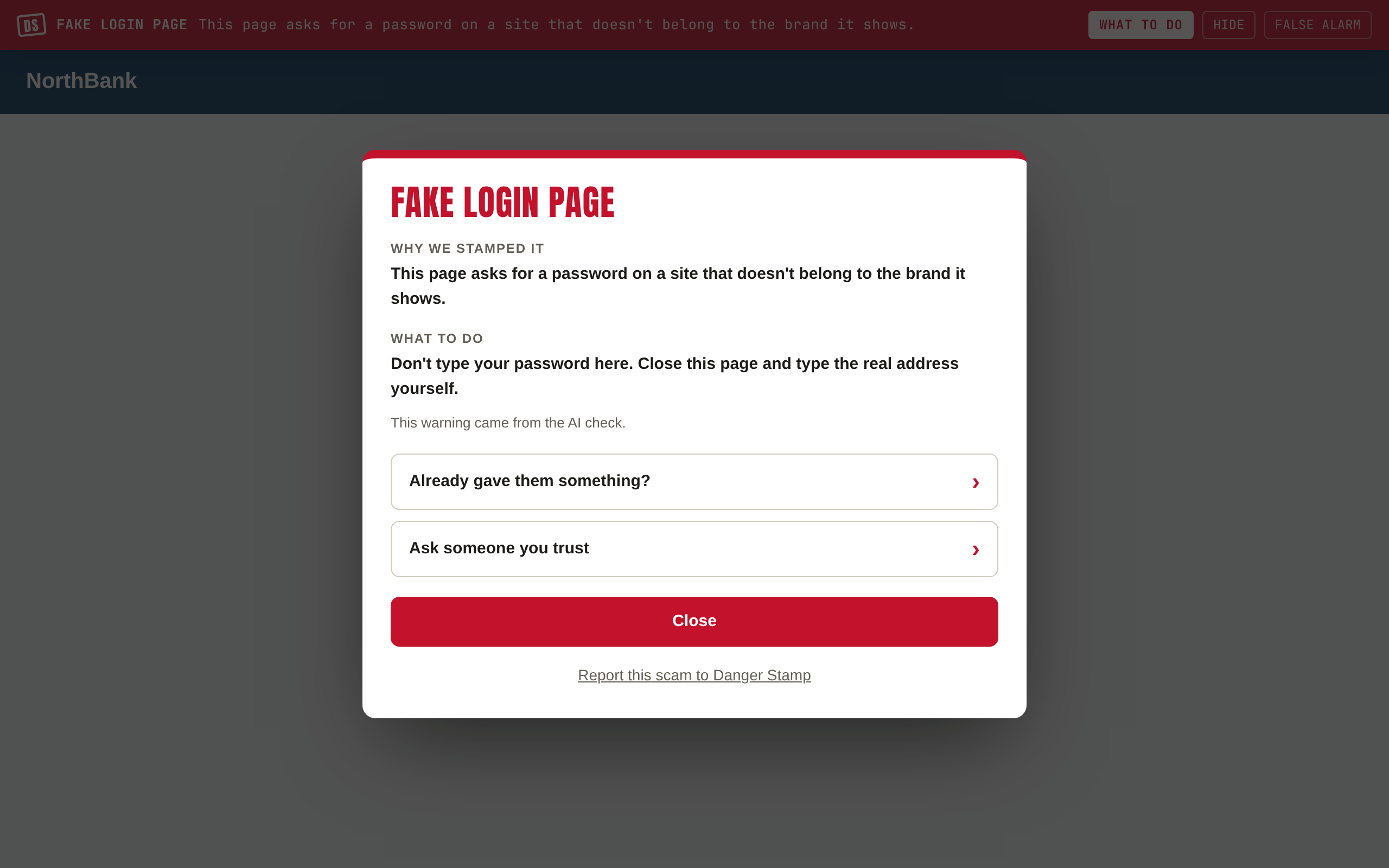
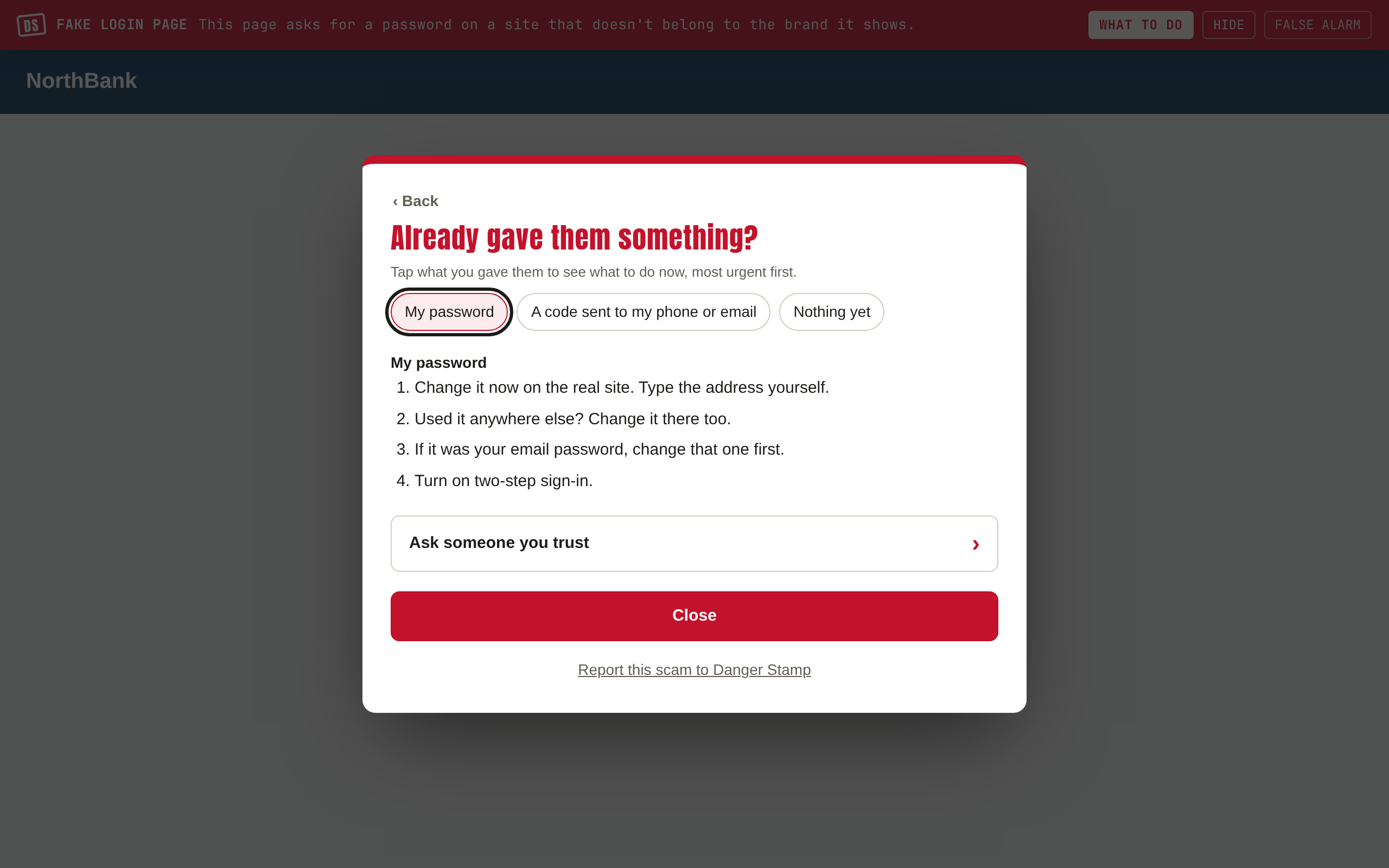
Already gave them something?
Tap what you handed over: a password, a code sent to your phone, a card number, your bank login, money, remote access to your computer, a photo of your ID. For each one you get short steps, most urgent first: who to call, what to change, what to watch for. The steps are the same whether you are in Canada, the US or elsewhere, with the places to report it in each.
Ask someone you trust
It writes a short message about what you saw and what you were about to do. Copy it into a text or chat, or open it as an email. Danger Stamp never sends it for you and never tells anyone what you were looking at. On a family plan, the email is already addressed to the person who pays.
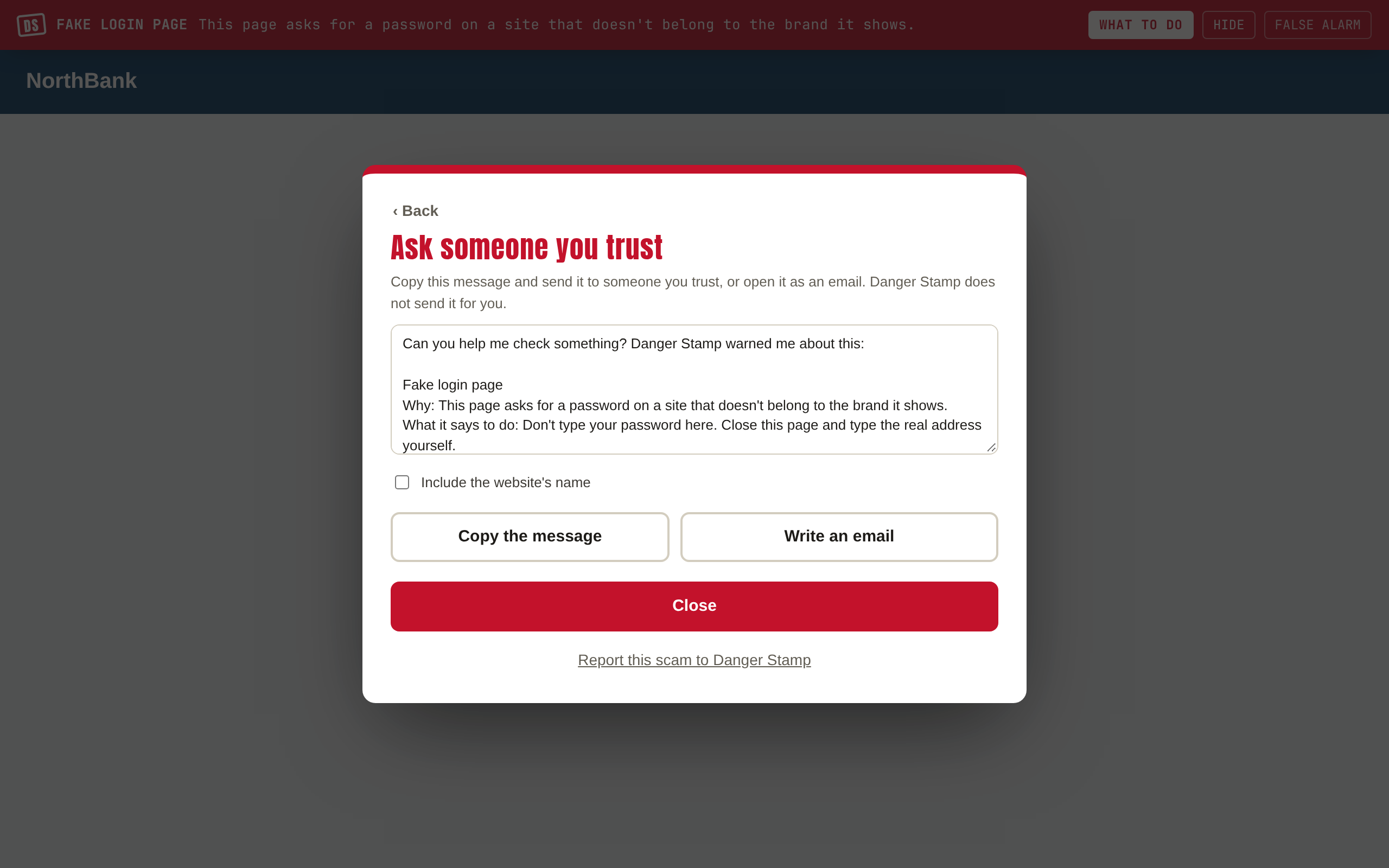
At the bottom of the panel, Report this scam to Danger Stamp opens our report page with the site's name filled in. Nothing is sent until you press Send report there.
In email, chats and comments
In Gmail, Outlook, Yahoo and other webmail, the stamp and bar appear on the email you have open, not on the inbox list. When you open a different email, the warning comes down and the new one is checked. The same goes for a conversation in WhatsApp Web, Messenger, Instagram or Discord. Only messages with scam warning signs are ever checked at all; ordinary messages are left alone and never leave your computer.
Child mode
With child mode on, warnings speak to a child and the FALSE ALARM button becomes ASK A GROWN-UP, with a short wait before the page can be unlocked. The "ask someone you trust" message becomes "Show a grown-up".